Video Input: 24 HDMI
Output: IP and ASI
Video encoding: MPEG-4 AVC/H.264
Audio encoding: MPEG-1 Layer 2, AAC
Protocol: Support UDP RTP Multicast Unicast
Application: Digital TV Head-end System
HDMI TO IP: YES
VBR and CBR mode: Supported
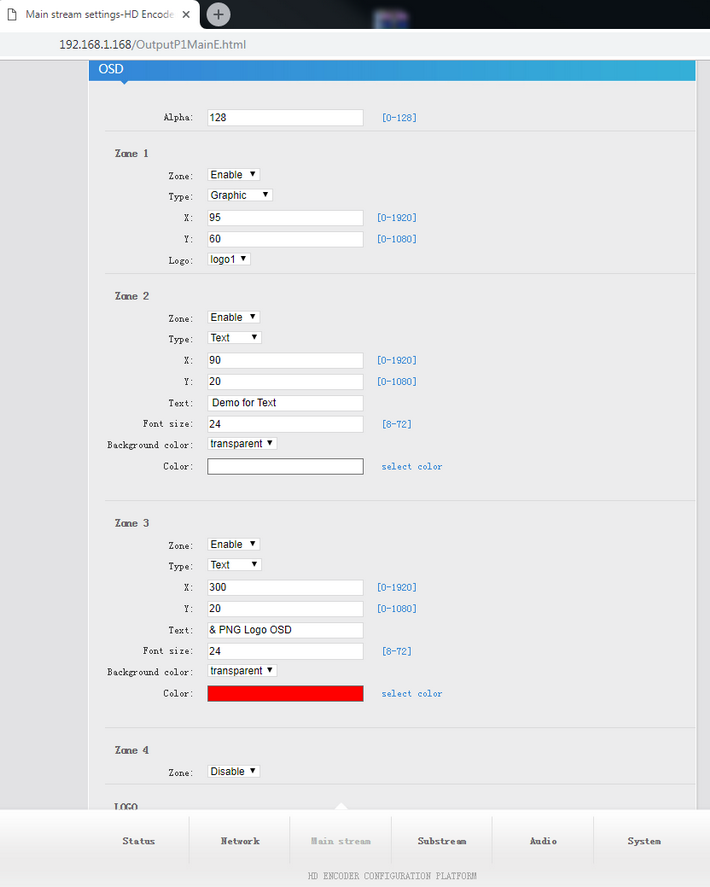
Add PNG (background transparency) Logo / OSD for the streaming by Kunuomagic Video Encoder?
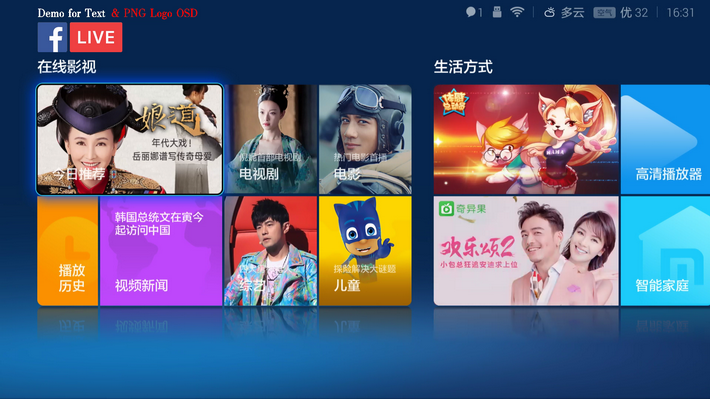
1. Ready a PNG file, I.E.

2. Upload the png logo to the encoder
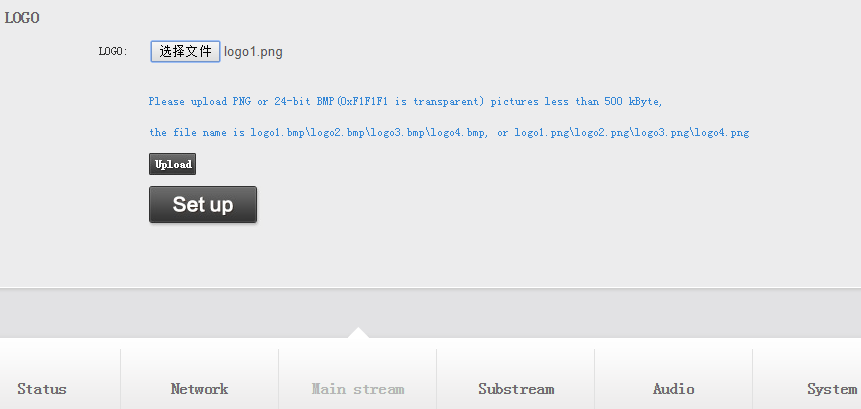
3. Set logo for the stream.